Welcome to PRIME COUPONS - AMAZON Coupons and Discounts
Home > Product Details


Coupon Added 1 day ago
Valid Until
Dec 07 2025
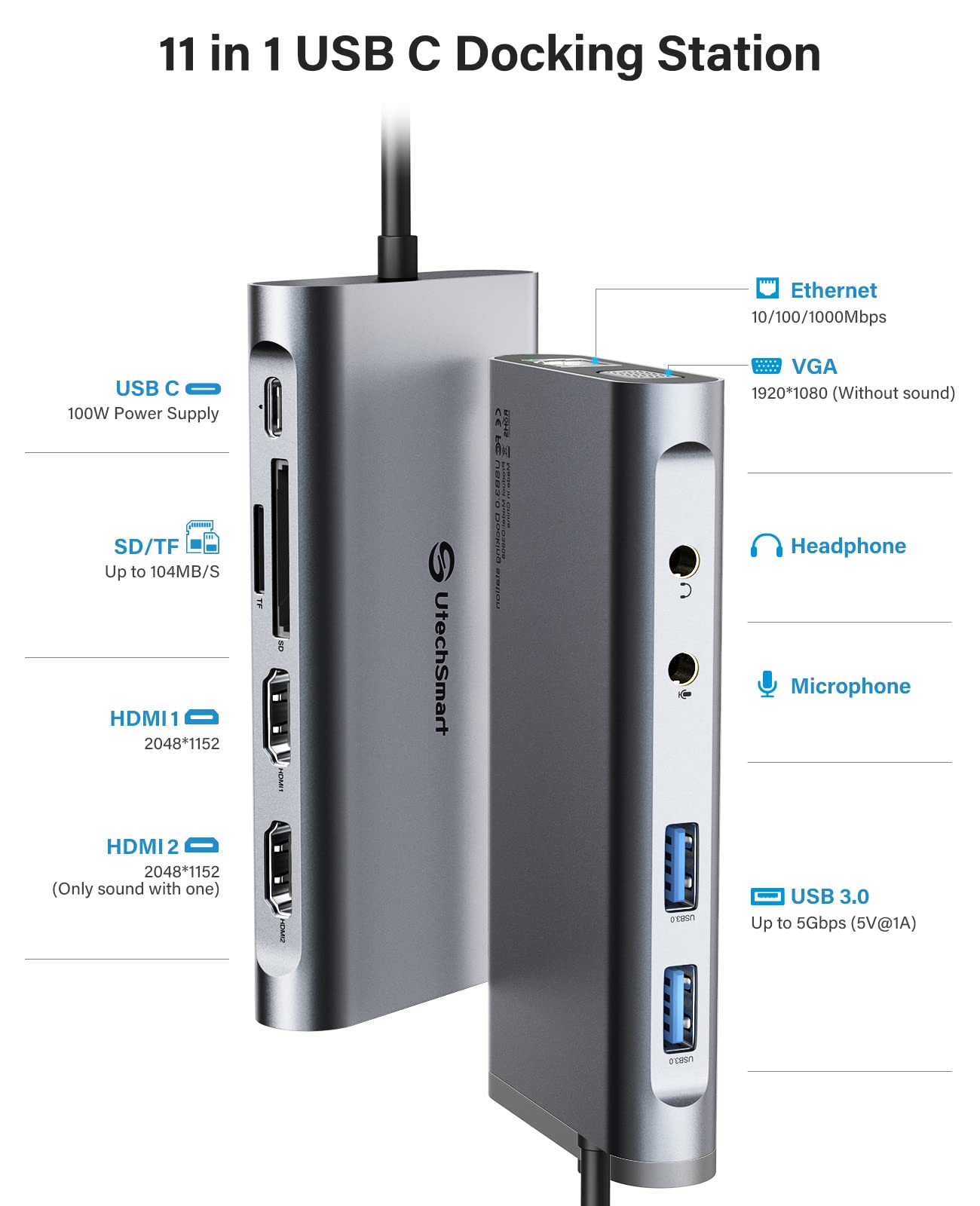
Estación de docking USB UtechSmart, 11 en 1 estación de docking USB-C con tres pantallas, estación de docking de laptop USB 3.0 con dual HDMI, VGA, PD, Ethernet, SD/TF, USB 3.0, micrófono/audiófono, compatible con MacBook M1, Dell, HP y Lenovo.
$66.29
$77.99
15.0 % Off
Extra 0% on AMZThe Description And Pictures Of Product are for Reference Only. Please visit Amazon For Complete Details

About this item
- [Maximize Your Display Options] - Featuring 2x HDMI ports and VGA port for triple display, use one or a mix of both to extend your laptop across three 1080p monitors @ 60Hz with USB, USB C, Thunderbolt 3/4 hosts. As VGA replicates the HDMI1, they display the same, meanwhile HDMI2 designed to support audio output for a better auditory experience.
- [Widely Compatible for MacOS & Windows] - UtechSmart USB docking station is compatible for Windows 10 or later, MacOS 11+ systems, devices with Thunderbolt 3/4, USB and USB-C. Nomatter your laptop or desktop‘s interface is USB A, Type C or Thunderbolt, you can use our dock for multifunctional expansion. (For computers with USB A ports, do not support the USB 2.0 and earlier versions)
- [Plenty Connection Options] - UtechSmart universal docking station let’s you charge your phone or other devices and transfer data by 2x USB 3.0(5Gbps, 5V, 1.5A), and keep expanding SD/TF card reader, Gigabit Ethernet, and 3.5mm audio in and out ports. Get a compact USB docking station like this, to fullfill all the functions what you need.
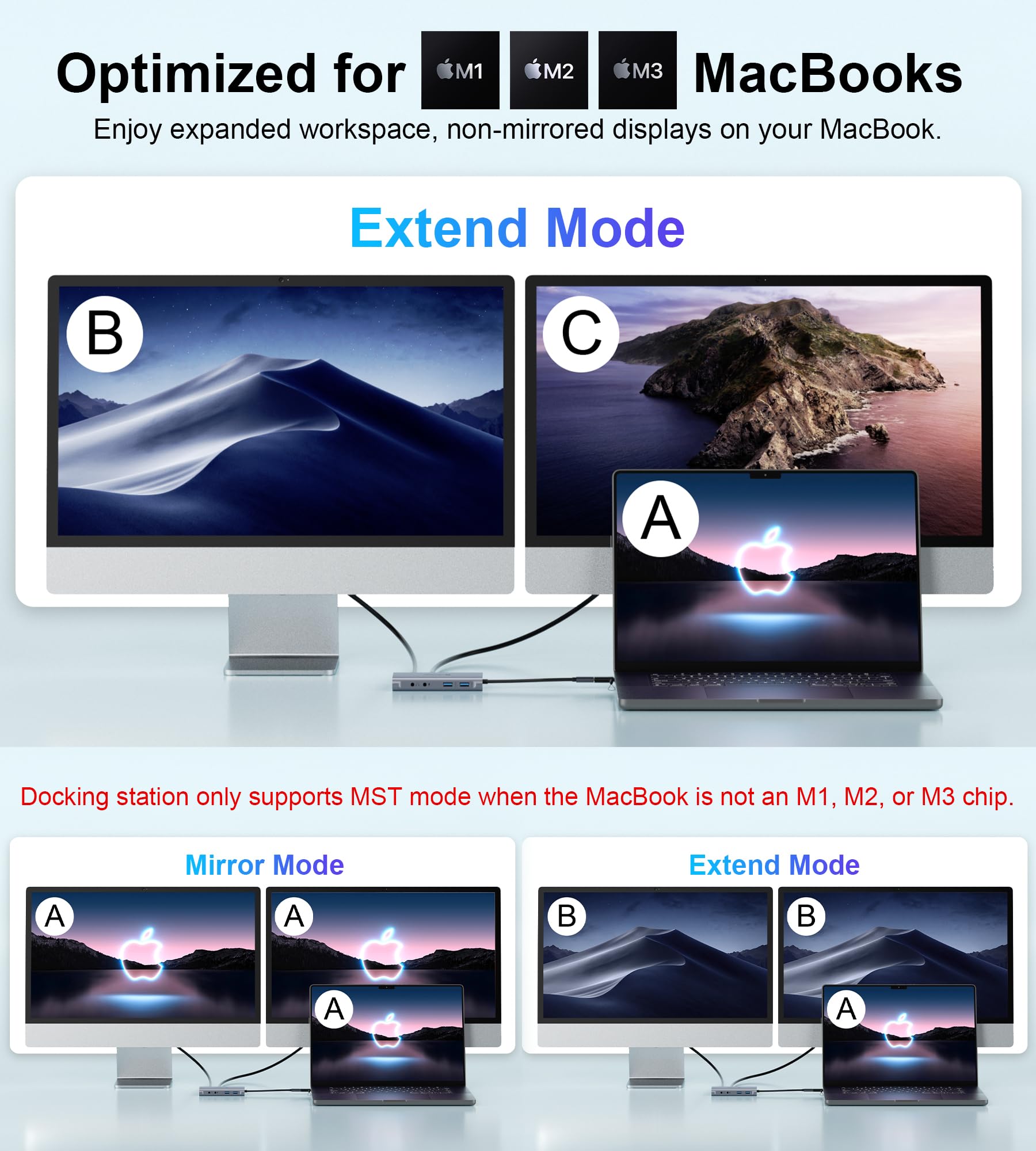
- [Compatible for M1/M2/M3 MacBook] - This laptop docking station has more powerful and stable with the ports of connectivity, supports triple Monitors for MacOS and Windows, and dual monitor non-mirror expended. You can expand your laptop's desktop to dual or triple displays at once to increase work and study productivity, make you start a more intelligent life.
- [Don’t Forget to Install Driver Before Use] - The driver is needed when use HDMI 2 and VGA, thanks to DisplayLink technology, we can now connect up to 2 non-mirror monitors to our MacBook M1 M2 M3 and get a more stable experience while enjoying expanding external peripherals, make multitasking a breeze.